
UserVoice Contributor Sidebar
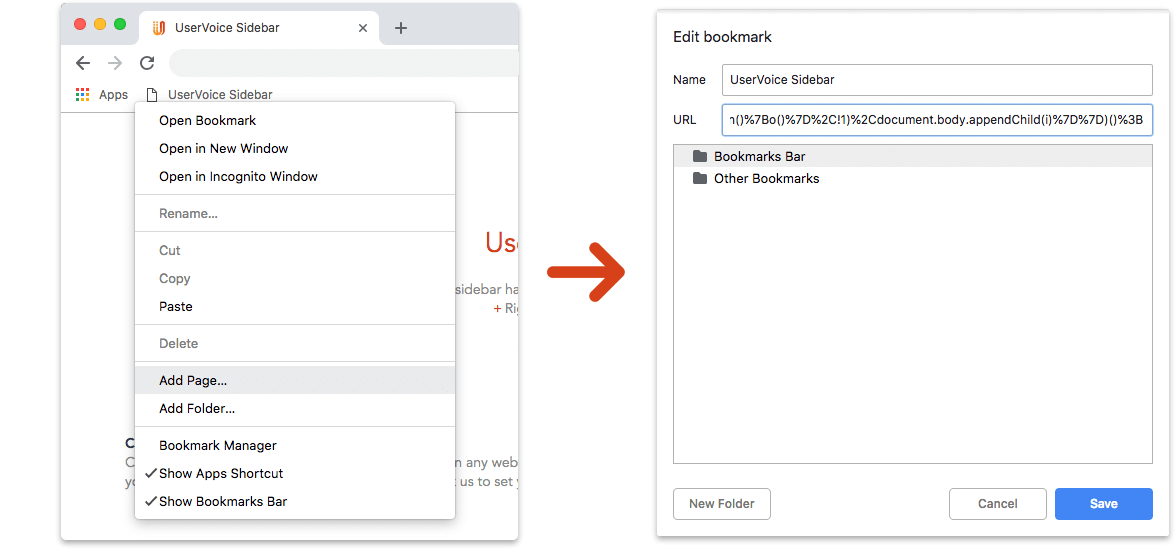
Click it anytime
Click the UserVoice Sidebar bookmark while you're on any web page and log in. If you don't have access, your UserVoice admin can ask us to set you up.
Where is my bookmarks/favorites bar?
If it's hidden, you can show it by:
In Chrome, Safari, IE: Control (Command on Mac) + Shift + B
In Firefox: Control (Command on Mac) + B
Capture Customer Feedback
- Enter feedback from a customer - it will only be visible to employees at your company
- Link the feedback to the UserVoice idea that it supports
- Subscribe the customer to get updates
Get Customer Insights
- Quickly see ideas and user data that are related to a web page
- Lookup any customer and see their ideas, NPS® Ratings, and other relevant information
Catch Trends
- See which ideas are trending now
- Discover what is important to each of your teams
Send Us Feedback!
- What problems is this tool solving for you?
- What could it do better?
Some web pages may block the bookmark. If so, open a new tab in your browser then click the bookmark.
Please send us feedback if you come across a page that blocks it.
Please send us feedback if you come across a page that blocks it.